
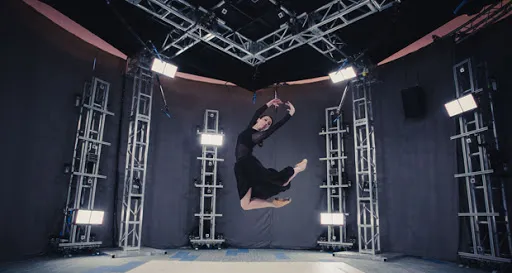
Volumetric Live Video
This is the second part of the series Spaceport Volumetric Video Container. We pick up the containers back from the place where we created and read. In this tutorial, we’re going to walk you how to play Spaceport Volumetric Live Video using Unity. Don’t worry, it’s surprisingly easy to get the containers from the server and decode volumetric video, especially when controlling the container structure as we want.
Modifying The Volumetric Video Container

Let’s start by dividing the large volumetric container as many smaller containers that are broken up into ~10 frame increments(you can specify this size as you wish). We only need to buffer frames seconds in advance on the Unity App side as we divided the container up in this way. Normally, our CreateContainer() function is programmed to generate a single .space file. We will add one condition like the following figure.
In the old version, a single container was containing one metadata, now each small container can hold its own metadata. The metadata is served first and it tells the client where to find each frame start positions. Navigate to the directory of the Spaceport Container file and run the following command:
g++ -I ~/local/include -L ~/local/lib -o output ObjContainer.cpp 10 -ldracoenc -lboost_serialization
Each new container looks like the following:

Congratulations! You are done with the hard part, now you have simple containers that can be served over HTTP to watch Volumetric Live Video. Let’s set up a simple HTTP server to test it. I used NodeJs / http-server but you can create it however you want.
Getting Containers From HTTP Server
We only require a simpler request/response pair. Nowadays, the most common way to solve this problem is to utilize the “Networking” library in Unity. We only need to call the function “SendWebRequest()” to get a volumetric container one by one, until we get a request error. Note that web requests are typically done asynchronously, so Unity’s web request system returns a “yield” instruction. You have to wait until the request is completed. Now you’re done with making requests over http-server.

Do you remember how we read Volumetric Containers in the previous article? There are only a few fundamental differences between the two structures. We’ll do the same thing but this time, all the files will have the own metadata.

Now let’s turn our eyes to the decoder. We reconstruct the objects for each frame. As above, we will use MemoryStream class instead of BinaryReader.

Conclusion
This article provides an overview of how to divide and handle volumetric video containers. That’s all folks, as we can see, we can change the container structure as we want and then reconstruct it for our purpose. We hope this article gave you some ideas for watching the live volumetric video. If you have any questions or feedback don’t hesitate to write your thoughts.
